Auto-Cancel Unpaid Orders
Cancels orders left unpaid after a set number of days and frees the reserved stock. Exempt payment methods such as bank transfer.

WooCommerce plugin
Eighteen WooCommerce utilities in one plugin. Switch on what you need, leave the rest off.
Requires WordPress 6.0+, PHP 7.4+ and WooCommerce. Tested up to WordPress 7.1 and WooCommerce 11.2.
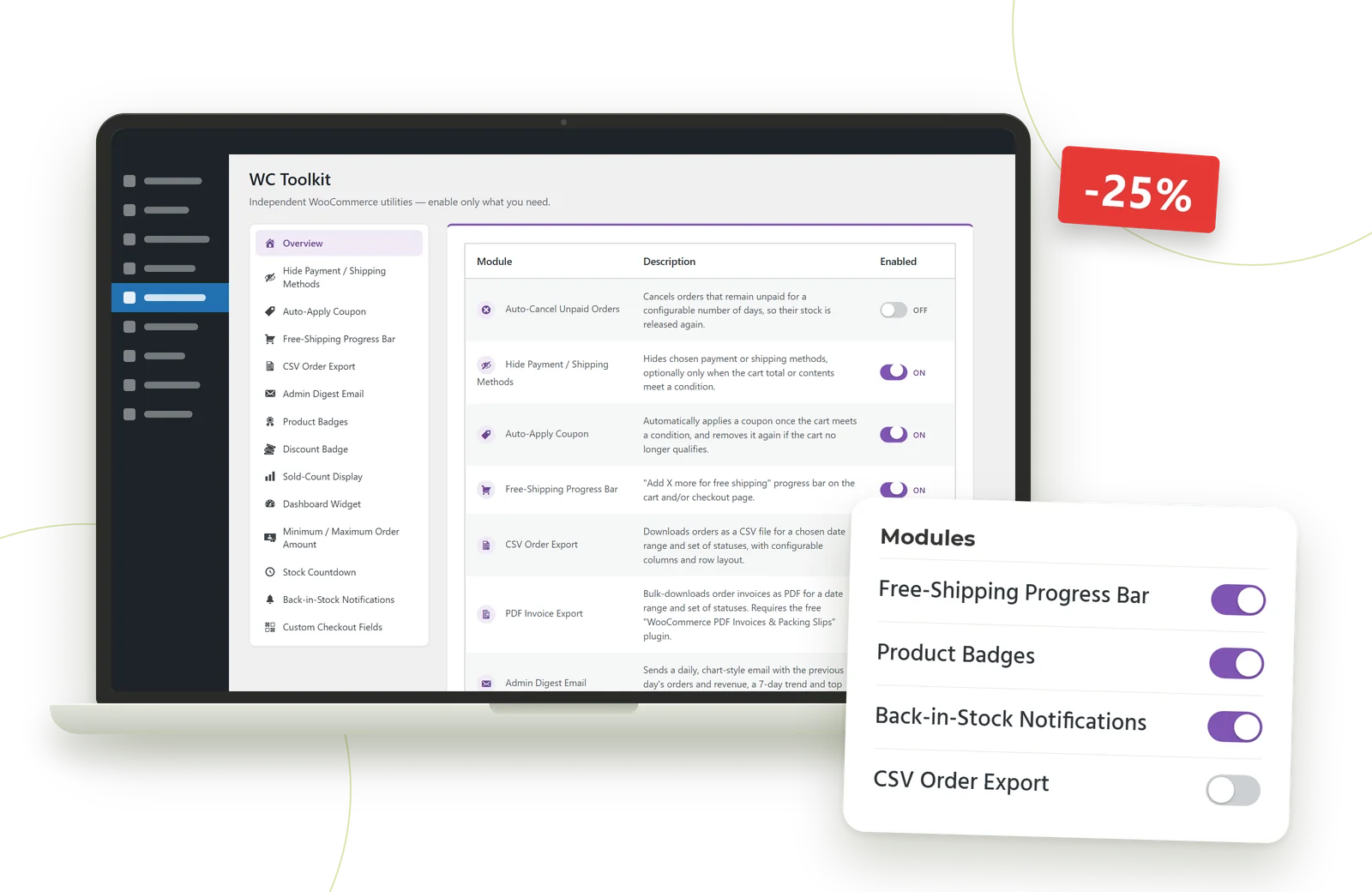
Most stores end up with a dozen small plugins for small jobs: a free-shipping bar, a CSV export, a "low stock" badge. Toolkit for WooCommerce replaces them with one plugin and one settings screen. Every module is a switch. A module that is off registers nothing and adds no load to your store.
Eighteen modules in four areas. All of them start switched off.
Cancels orders left unpaid after a set number of days and frees the reserved stock. Exempt payment methods such as bank transfer.
Hides chosen payment or shipping methods, always or only when the cart total or contents meet a condition.
Applies a coupon automatically when the cart reaches a subtotal, item count or category, and removes it again if the cart no longer qualifies.
An "Add €X more for free shipping" bar on cart and checkout that updates live as the cart changes.
Blocks checkout outside your limits, with your own message for each.
Up to five fields of your own (gift message, delivery notes). Values are saved to the order and shown in the admin and on the customer's order page.
Pick a date range and statuses, choose your columns, export one row per order or one per line item.
Download invoices as one merged PDF or a ZIP of single PDFs. Needs the free WooCommerce PDF Invoices & Packing Slips plugin.
Order count, lifetime spend, first and last order per customer.
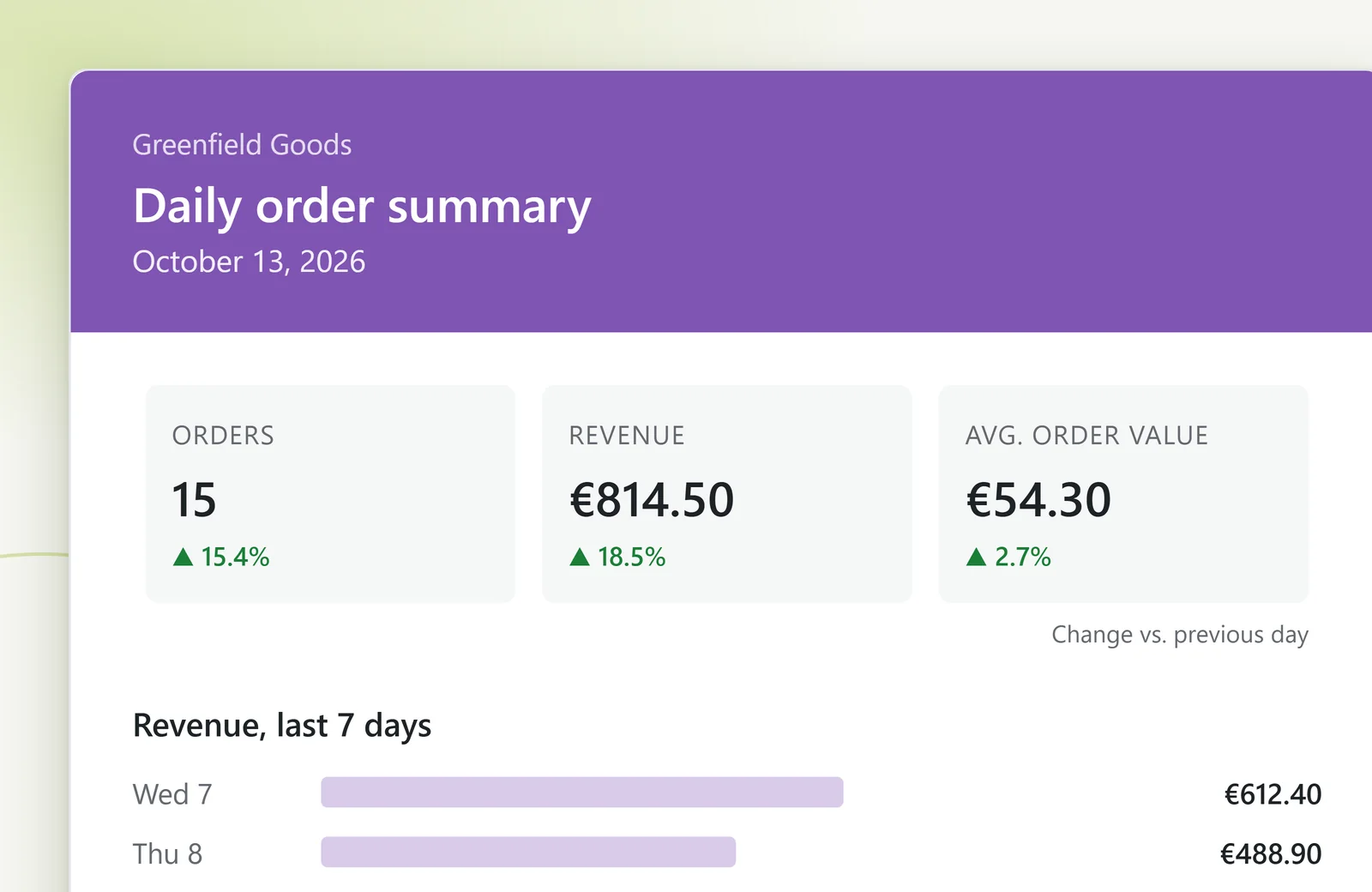
A daily HTML email with yesterday's orders, revenue and average order value, the change against the day before, a 7-day revenue chart and your top products. A test button sends you a sample first.
New, Bestseller and Low Stock, worked out automatically from product age, sales and stock. You choose the priority, a maximum number per product, and each badge's corner, distance and padding.
Replaces "Sale!" with a calculated "-25%", including variable products (the best variation discount).
"128 sold" on the product page, plus a best-performing variations list.
"Only 3 left in stock!" once stock drops below your threshold.
Shoppers leave an email address and get notified when the product is available again.
Shows on the product edit screen who bought it.
Your own order statuses, such as "Awaiting Pickup".
Today's orders and revenue, a 7-day revenue chart and a low-stock count, right on the WordPress dashboard.
Under WooCommerce → WC Toolkit every module has a switch that saves the moment you flip it. A module you switch on gets its own tab in the sidebar.
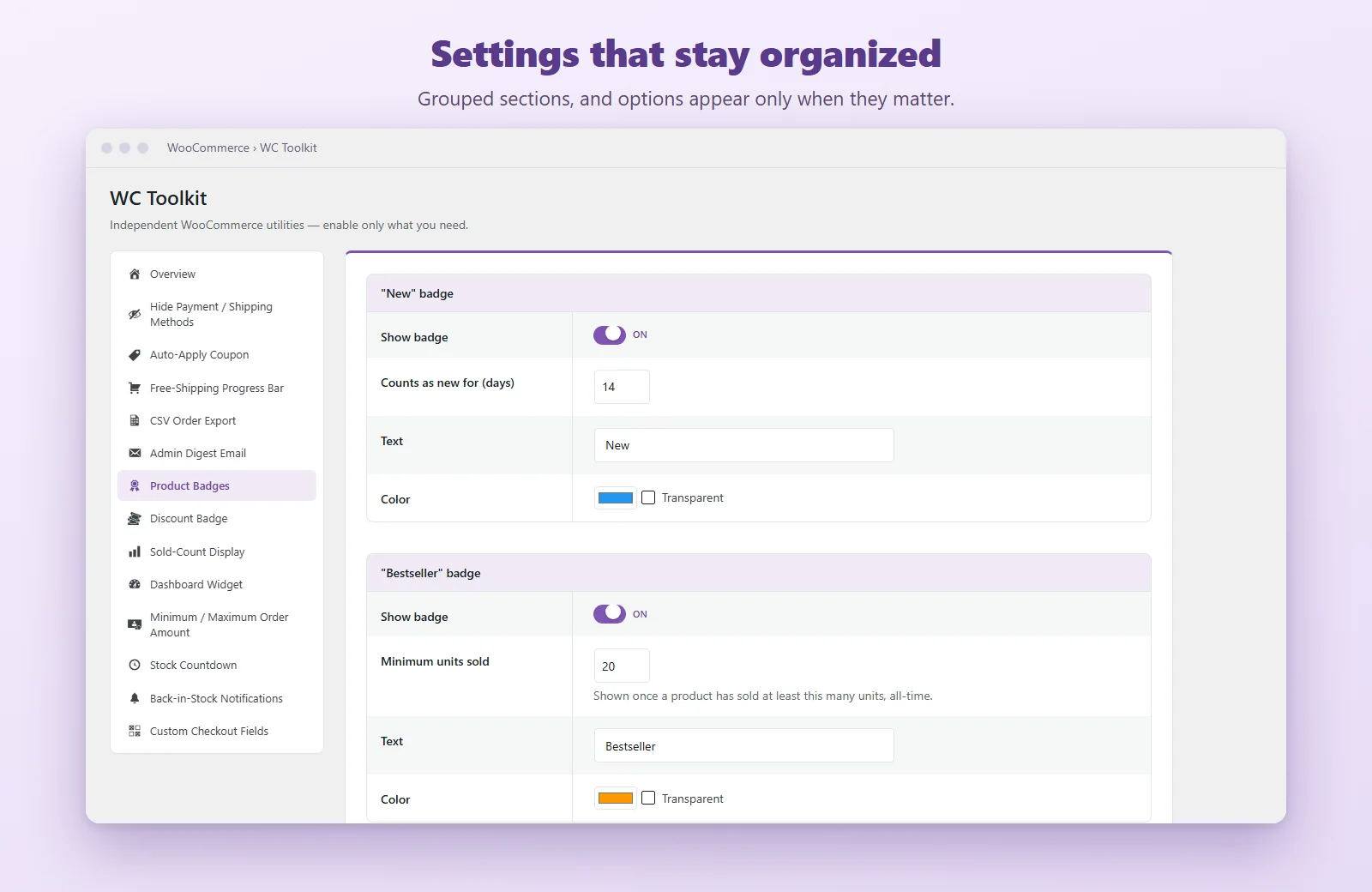
Shown with a sample store ("Greenfield Goods") and sample data.


A disabled module registers no hooks and costs nothing.
Orders are read and written only through WooCommerce's own APIs, never from the legacy post tables.
Back-in-stock subscribers are covered by the WordPress personal data export and erase tools, and suggested privacy policy text is included.
Deleting the plugin removes its settings, scheduled task and its own database table. Your orders stay untouched.
All text uses the "yw-wc-toolkit" text domain and a .pot file is included. The interface is in English.
It is built and tested for classic (PHP-template) themes such as Storefront. The modules that add content to shop, product, cart and checkout pages (badges, discount badge, sold count, stock countdown, back-in-stock form, free-shipping bar, custom checkout fields) use WooCommerce's classic template hooks and may not appear with block themes or the block-based cart and checkout. The other modules work on order data, cart calculations or the admin area.
Yes. It declares compatibility and never reads orders from the legacy post tables.
Yes, that's the idea. All modules start switched off.
Its settings, plus what the enabled modules need. Back-in-Stock stores the subscriber's email, product and date in its own table. Custom Checkout Fields saves what customers type as order data. Nothing else.
Yes. All text uses the "yw-wc-toolkit" text domain and a .pot template is included in the "languages" folder. The interface ships in English.
[Open: licence terms · how updates are delivered · support channel and response time]
Switch on what your store needs and leave the rest off.
WooCommerce is a trademark of Automattic Inc. Toolkit for WooCommerce is an independent product by yourwebseed OÜ and is not affiliated with or endorsed by WooCommerce or Automattic.